
A Month of Unlimited Video: What a Small Fleet Actually Reviews
A small fleet does not need to watch every minute of every trip. It needs fast access to the right moments.
A flagged hard-braking event may require a two-minute review. An insurance claim may require footage from several minutes before and after an incident. A customer dispute may call for one clip showing when a service van arrived and what happened at the property.
These reviews are not constant. They are targeted, practical, and often time-sensitive.
That is why unlimited video access matters. Safety Track’s $99.95 per vehicle, per month unlimited video plan includes unlimited viewing and unlimited downloads. Fleet managers can review footage, revisit clips, and download evidence without treating every action as an additional purchase.
For a five-van fleet, the monthly cost is $499.75. The fleet receives unlimited video access for each covered vehicle, giving managers more freedom to use footage for safety, claims, customer service, and training.
What a Typical Month Looks Like
Consider a small service business operating five US-model vans and light trucks. The owner also handles fleet oversight, while an office manager helps with customer issues and a lead driver supports training.
The fleet does not spend the month watching continuous video. Instead, the team reviews a modest number of targeted clips:
- Event footage flagged by the system
- Incident video requested for an insurance claim
- A customer dispute involving property damage or arrival time
- Training clips for new-hire orientation
- A backing maneuver used during driver coaching
- Additional context around specific events
This work may involve only a few minutes at a time. However, each review can influence safety, liability, customer communication, or driver performance.
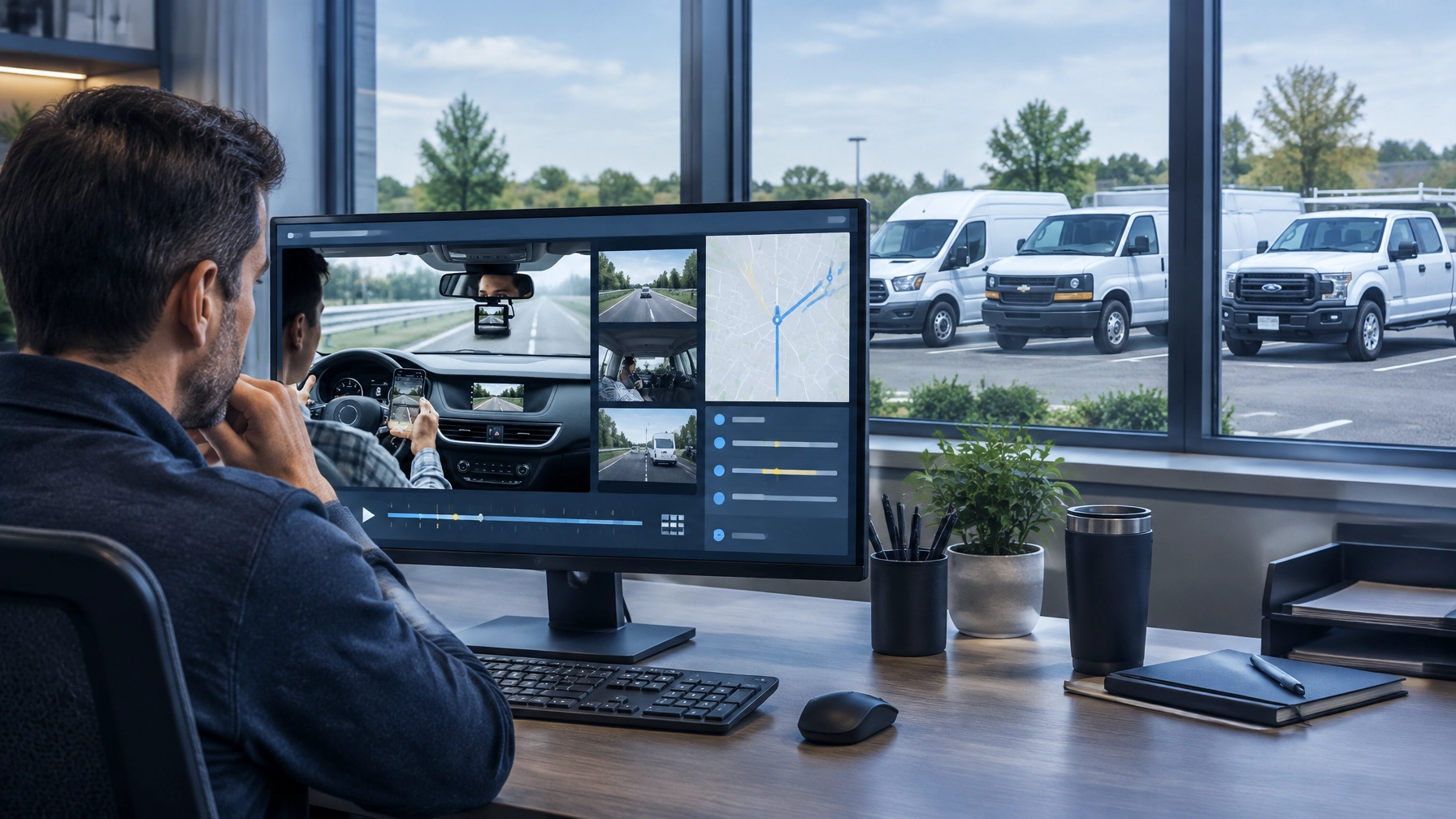
With AI fleet monitoring solutions, managers can use alerts and video together. GPS and telematics show where and when an event occurred. Video helps show what happened around it.
A Month of Reviews in a Five-Van Fleet
The following example is illustrative. It shows how a small fleet might use video during one month and compares that activity with a hypothetical per-clip model.
The per-clip amount below is not a published competitor price. It is included only to demonstrate how usage fees can discourage routine reviews.
| Monthly use | Illustrative review activity | Illustrative per-clip alternative |
|---|---|---|
| Flagged safety events | 8 clips | $200 at $25 per clip |
| Insurance claim | 3 clips, including additional context | $75 |
| Customer dispute | 2 clips | $50 |
| New-hire orientation | 4 clips | $100 |
| Backing coaching | 2 clips | $50 |
| Follow-up reviews | 1 clip | $25 |
| Illustrative total | 20 clips | $500 |
At $25 per clip, this example reaches approximately $500 before considering repeated viewing, additional downloads, or footage from another camera angle. That is already more than the $499.75 monthly cost for five vehicles under Safety Track’s unlimited plan.
The larger issue is not simply the total. Per-clip pricing can affect decisions in the moment. An owner may review the most serious event but skip the minor hard-braking clip. A manager may avoid downloading a training example. A customer service representative may rely on a written statement instead of checking the available footage.
Unlimited access removes that hesitation.
Week One: Review the Events the System Surfaces
The first use of video in a typical month is often routine event review.
An AI-enhanced dash camera or telematics system may identify events such as:
- Harsh braking
- Rapid acceleration
- Speeding
- Distracted driving
- Unsafe following distance
- Lane departure
- A near miss
- A backing event
A fleet manager can open the relevant vehicle and time period, watch the footage, and determine whether the event reflects a serious concern or a reasonable response to traffic.
For example, a hard-braking alert may show that a driver was following too closely. It may also show that another vehicle entered the lane unexpectedly or that traffic stopped suddenly. Reviewing context leads to better coaching than relying on an alert by itself.
A small fleet may review eight event clips in a month across its vehicles. That is not a large volume. It is enough to identify patterns and address risks before they become accidents.
Unlimited viewing makes this process practical because managers can watch the seconds before and after an alert without worrying about another charge. Unlimited downloads also allow the team to save clips for a coaching conversation or internal safety record.
Week Two: Pull a Clip for an Insurance Claim
A collision or alleged incident changes the priority of the fleet immediately.
The owner may need to contact an insurer, communicate with a customer, and determine whether the vehicle can remain in service. Video can provide useful evidence about traffic conditions, vehicle positioning, driver actions, and the sequence of events.
In this example, the manager downloads three clips:
- The primary forward-facing view
- A longer segment showing the moments before the incident
- An additional angle or interior view for context
The manager does not need to submit a retrieval request and wait for a vendor to locate the footage. With direct platform access, an authorized user can search for the relevant vehicle and time, review the available video, and download the files needed for the claim.
Safety Track’s fleet camera systems are designed to connect video with fleet visibility tools. This gives managers a more complete incident record than a written description alone.
Video does not replace formal claims procedures or professional legal advice. It gives the appropriate parties objective information to evaluate the event more efficiently.

Week Three: Resolve a Customer Dispute
Service businesses often face questions about arrival windows, property damage, or what happened at a customer location.
Suppose a lawn-care customer claims that a service van damaged part of the lawn while arriving at the property. The customer also states that the crew arrived outside the agreed window.
The office manager checks the vehicle’s GPS record and reviews two short video segments:
- One clip showing the vehicle entering and leaving the property
- One clip showing the driver’s approach and departure
The footage may confirm the customer’s concern, clarify the timing, or show that the reported damage did not occur during the visit. Either way, the business can respond using evidence rather than assumptions.
This is where unlimited access supports customer service. A manager can review the footage more than once, download a copy for the internal file, and share an authorized clip when appropriate.
The same process applies to delivery fleets, plumbing companies, HVAC contractors, construction businesses, and other small operations that send vehicles to customer locations.
Week Four: Use Three or Four Clips for New-Hire Orientation
New-hire training does not need a library of hundreds of videos. It needs a few clear examples that connect company expectations to real driving situations.
A fleet owner may select four clips for orientation:
- A safe following-distance example
- A proper stop and intersection approach
- A backing maneuver performed with care
- A distracted-driving example that demonstrates what to avoid
These clips give new drivers concrete context. The trainer can explain what happened, why the behavior matters, and what the driver should do in a similar situation.
The owner can also use positive footage. Showing smooth braking, controlled turns, and careful backing reinforces the behaviors the company wants drivers to repeat.
Per-clip charges can make this kind of training feel optional. Unlimited downloads make it easier to build a small internal training library over time.
Coaching One Driver on Backing
Backing incidents create serious risk for service fleets. Vans and light trucks often operate in driveways, alleys, parking lots, construction areas, and crowded commercial properties.
A manager can use one backing clip during a focused coaching conversation. The review may address:
- Whether the driver checked the surrounding area
- Whether the vehicle moved at an appropriate speed
- Whether a spotter was needed
- Whether the driver paused when visibility became limited
- Whether the driver followed the company’s backing procedure
The goal is not to use video as a punishment. The goal is to make the conversation specific and useful.
The manager can also download a second clip showing a better example. Comparing the two situations helps the driver understand the expected process.
Unlimited access makes routine coaching possible because a manager does not need to wait for a major incident before reviewing footage. Small corrections can happen while they are still easy to address.

Why Unlimited Access Changes Fleet Behavior
The value of unlimited video is not that managers watch more footage for its own sake. The value is that they can use footage when it serves a clear business purpose.
Unlimited viewing and downloads support:
- More complete incident reviews
- Faster insurance claim response
- More consistent driver coaching
- Better new-hire training
- Clearer customer communication
- Stronger internal documentation
- Greater control over fleet data
Safety Track’s self-serve access also means fleet teams do not have to wait for a vendor to retrieve footage. Managers can access their available video directly, review the relevant time period, and download what they need.
That control matters when an insurer requests evidence, a customer calls with a complaint, or a driver needs feedback before the next route.
Budgeting for the $99.95 Unlimited Video Plan
The plan is straightforward:
- $99.95 per vehicle, per month
- Unlimited video viewing
- Unlimited video downloads
- Five vehicles: $499.75 per month
- Ten vehicles: $999.50 per month
The per-vehicle structure makes the cost easy to include in a monthly fleet budget. The business can plan around a fixed amount instead of estimating how many clips it might need during a month with multiple claims, training sessions, or customer disputes.
Fleet owners can review live video fleet camera options and match the camera setup to their vehicles and operating environment. The right configuration depends on whether the business needs forward-facing, driver-facing, interior, rear, or other views.
Use the Video You Already Paid to Capture
A camera system creates value when the business can access and apply the information it captures.
For a small fleet, a realistic month of video use may involve only a few dozen short reviews. Those reviews can still protect the business, support drivers, improve training, and resolve customer concerns.
The $99.95 per vehicle, per month unlimited video plan gives fleet managers the freedom to review footage without rationing views or downloads. It makes routine coaching and routine claim defense practical instead of something an owner postpones because each clip carries another cost.
At Safety Track, the goal is simple: give small businesses immediate control over their fleet video and the tools to use it when it matters.
Contact Safety Track to discuss an unlimited video plan for a small business fleet.

Tyler Schneider is the IT Director at Safety Track, overseeing the company’s technological infrastructure and innovations. With a strong background in information technology and systems management, Tyler ensures that Safety Track stays at the forefront of tech solutions in fleet management. His strategic expertise supports the seamless integration of technology across the company’s operations.