
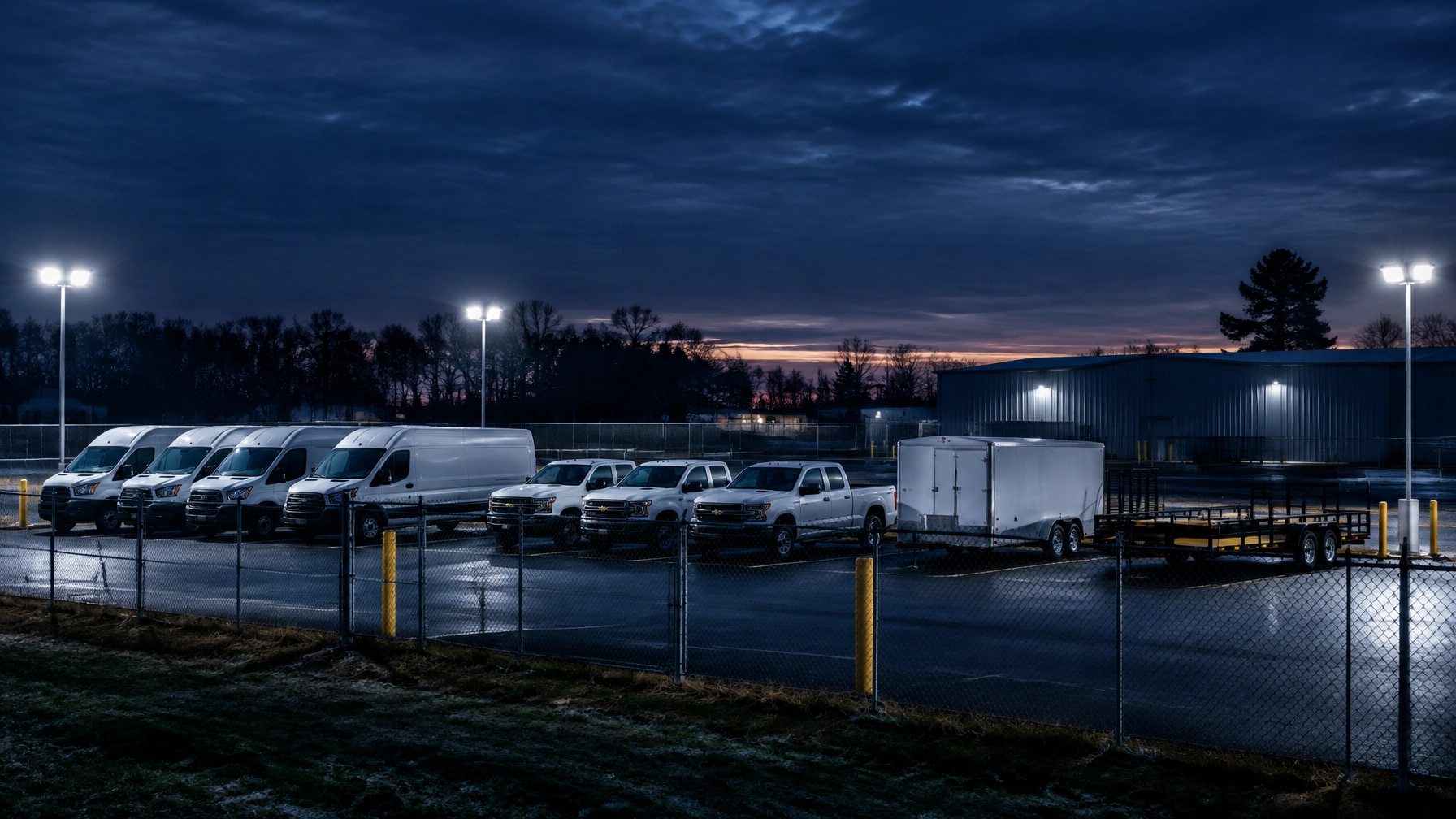
Before the Holidays: A One-Hour Theft Audit for Your Yard
Holiday operations create more exposure for small business fleets. Service vans, light trucks, tools, trailers, and equipment may sit overnight while employees take time off, schedules change, and business activity increases.
A one-hour yard audit gives fleet owners and managers a practical way to find weak points before the holiday rush. The goal is not to buy every security product available. The goal is to layer simple deterrents, improve visibility, and make unauthorized movement easier to detect.
Industry guidance continues to emphasize the value of well-lit parking, secure gates, visible cameras, vehicle securement, and real-time tracking during higher-risk periods. Work Truck Online notes that holiday delivery volume, longer operating hours, and unsecured parking can increase theft exposure for light- and medium-duty fleets.
Use the following 60-minute plan to inspect a fleet yard, commercial lot, driveway, or other overnight parking area.
Minutes 0–10: Walk the Yard and Check the Lighting
Start the audit from the outside. Walk the full perimeter as if evaluating how easily someone could approach the vehicles without being seen.
Look for:
- Dark corners behind buildings or storage areas
- Burned-out bulbs
- Lights blocked by trees, signs, or parked equipment
- Unlit rear fence lines
- Shadows between vehicle rows
- Lighting that points toward the ground but leaves faces and vehicle activity hidden
- Entry and exit points that are difficult to see from the street
Pay special attention to areas where a person could work on a vehicle or trailer without attracting attention. A well-lit gate does not solve the problem if the rear staging lane remains dark.
Replace failed bulbs and clear obstructions immediately when possible. Motion-sensor lighting can provide an affordable additional layer at rear gates, equipment storage areas, and less frequently used sections of the lot.
Lighting is a deterrent, not a complete security system. It works best when it supports fencing, cameras, access controls, and an alert process.

Minutes 10–20: Test the Fence and Gates
Next, inspect every section of fencing and each gate. Do not assume a fence is secure because it looks intact from the office.
Check whether:
- The fence has visible gaps at the bottom or along the sides
- Panels are loose or damaged
- Someone could climb over nearby storage or stacked materials
- Gates close fully
- Latches engage without being lifted or pushed aside
- Locks are used consistently
- Secondary gates or pedestrian entrances remain unsecured
- Gate hinges, posts, and hinges show signs of damage
Open and close each gate during the inspection. A gate that appears closed may not actually latch. A padlock may be present without securing the latch correctly.
Keep access points limited when the yard is closed. If the property has more than one entrance, confirm that every unused entrance is secured. Remove objects that could help someone climb over the fence, and keep vegetation trimmed so the perimeter remains visible.
A small business may not be able to rebuild an entire fence before the holidays. Repairing a gap, improving the latch, adding a stronger lock, and securing an overlooked pedestrian gate can still close important weaknesses.
Minutes 20–30: Review Where Vehicles and Equipment Are Parked
The parking layout can either improve security or make theft easier. Review where the highest-value vehicles and equipment sit overnight.
Look at:
- Newer or more valuable vans and trucks
- Vehicles carrying tools or customer equipment
- Trucks with expensive attachments
- Trailers loaded with machinery
- Units parked closest to a public road
- Vehicles positioned near dark corners or isolated fence sections
Move the most valuable vehicles farther inside the yard when possible. Park the hard-to-reach side of vans and trucks toward the street or another barrier. This makes it more difficult for someone to access cargo doors, side compartments, or equipment without being exposed.
Keep vehicle rows orderly and avoid creating hidden corridors. Maintain enough space for authorized movement while preserving clear sightlines from the building, cameras, and neighboring properties.
Confirm that every vehicle is locked and that keys are removed. Do not leave spare keys inside cabs, under bumpers, or in predictable locations. If the business uses a shared key cabinet, verify that the cabinet is locked and that key access is limited to authorized employees.
Small changes to the parking pattern can improve visibility without requiring a major capital purchase.
Minutes 30–40: Inspect Trailer and Unpowered Equipment Staging
Trailers and other unpowered assets require a separate review. They may not have an ignition system, but they can still contain valuable cargo, tools, or equipment.
Identify exactly where the following items are staged:
- Enclosed utility trailers
- Open equipment trailers
- Landscaping equipment
- Generators and compressors
- Portable tools
- Job-site equipment
- Containers or removable storage units
Record which assets are present and compare them with the expected overnight inventory. Look for trailers parked outside the primary camera view or near a gate where they could be moved quickly.
Where appropriate, use trailer locks, wheel locks, or other physical controls approved for the equipment. Mark and label tools and portable assets with the business name, phone number, or another identifying system. Clear identification can support ownership verification if equipment is recovered.
GPS asset tracking adds another layer for trailers and non-powered equipment. It does not prevent theft by itself. Instead, tracking improves detection and can provide location information that supports a faster response and recovery process after unauthorized movement.
Safety Track’s GPS and asset tracking solutions can be evaluated alongside vehicle tracking when a business needs visibility across powered and unpowered assets.

Minutes 40–50: Check Camera Coverage and Video Access
Walk through the yard again, this time looking at it through the cameras’ perspective.
Verify that cameras cover:
- Main vehicle entrances and exits
- Gate controls and latch areas
- Primary parking rows
- Trailer staging lanes
- Fueling or maintenance areas
- Paths between the lot and office
- Areas where tools or equipment are stored
Check for blind spots caused by new vehicles, temporary storage, seasonal decorations, trees, or changed parking patterns. A camera that covered the gate in the spring may now be blocked by a truck or trailer.
Review nighttime image quality. The system should provide enough detail to identify movement, vehicle direction, and activity around the fleet. Confirm that recording and retention settings match the business’s needs.
Vehicle dash cameras can also support incident review when an event involves a fleet vehicle. Safety Track gives authorized fleet users direct access to available footage, so managers can review and download video without waiting for a vendor to retrieve it.
For businesses that want predictable video access, Safety Track offers an unlimited video plan for $99.95 per vehicle, per month, including unlimited viewing and unlimited downloads. The plan supports incident reviews, claims documentation, driver coaching, and internal records. It does not replace yard security cameras, but it can provide additional evidence when a vehicle-related event occurs.
Learn more about instant fleet video access and unlimited dash cam video for $99.95 per vehicle, per month.
Minutes 50–60: Test Alerts, Geofences, and Notifications
The final 10 minutes should focus on response. Detection only helps when the right person receives an alert and knows what to do.
Review the settings for:
- After-hours vehicle movement
- Yard geofence departures
- Ignition activity outside approved times
- Trailer or asset movement
- Unexpected route activity
- Door or sensor events, where configured
- Camera or device connectivity issues
Confirm that the yard geofence still matches the property. Construction, repaving, new storage areas, or a changed parking entrance may require an update.
Test the alert process according to the system’s procedures. Confirm who receives notifications and whether those contacts are still employed, available, and authorized to respond. Check phone numbers, email addresses, escalation contacts, and after-hours responsibilities.
A notification list from last year may contain disconnected numbers or former employees. Update it before holiday schedules begin.
Safety Track’s real-time alert tools can help managers identify unexpected movement and geofence activity. Tracking supports faster awareness and recovery. It should be presented honestly: GPS and asset tracking do not guarantee that theft will be prevented. Their value is in improving detection, location visibility, and response speed.
Easy Wins to Complete Before the Holidays
After the one-hour audit, prioritize the changes that close the clearest gaps.
Add motion-sensor lighting
Install motion-activated lights at dark fence sections, rear gates, and equipment staging areas. Verify that the lights illuminate the activity area rather than creating additional glare or shadows.
Mark and label equipment
Use durable identification labels, engraving, or another documented marking system for tools, trailers, and portable equipment. Keep a current inventory with serial numbers, photographs, and descriptions.
Layer GPS asset tracking
Start with the trailers, equipment, and vehicles that would create the greatest financial or operational disruption if stolen. Add geofences and after-hours movement alerts where appropriate.
Keep camera views clear
Move vehicles, materials, and seasonal storage that block gates or staging lanes. Review the yard again after making changes.
Confirm the response plan
Assign a specific person to review after-hours alerts. Define when the business should contact law enforcement, insurance providers, employees, or customers.
A One-Hour Audit Creates Better Control
A pre-holiday theft audit does not need to become a large security project. It gives small businesses a focused way to inspect the property, close simple gaps, and decide where technology provides the most value.
Start with lighting, fencing, gates, and parking. Then review cameras, alerts, geofences, trailers, and unpowered equipment. Layer physical deterrents with GPS tracking and video access so the fleet has stronger visibility before, during, and after an incident.
The best time to find a dark corner or failed alert is before a vehicle goes missing. For help building a security and monitoring plan tailored to a small business fleet, contact Safety Track.

Tyler Schneider is the IT Director at Safety Track, overseeing the company’s technological infrastructure and innovations. With a strong background in information technology and systems management, Tyler ensures that Safety Track stays at the forefront of tech solutions in fleet management. His strategic expertise supports the seamless integration of technology across the company’s operations.