
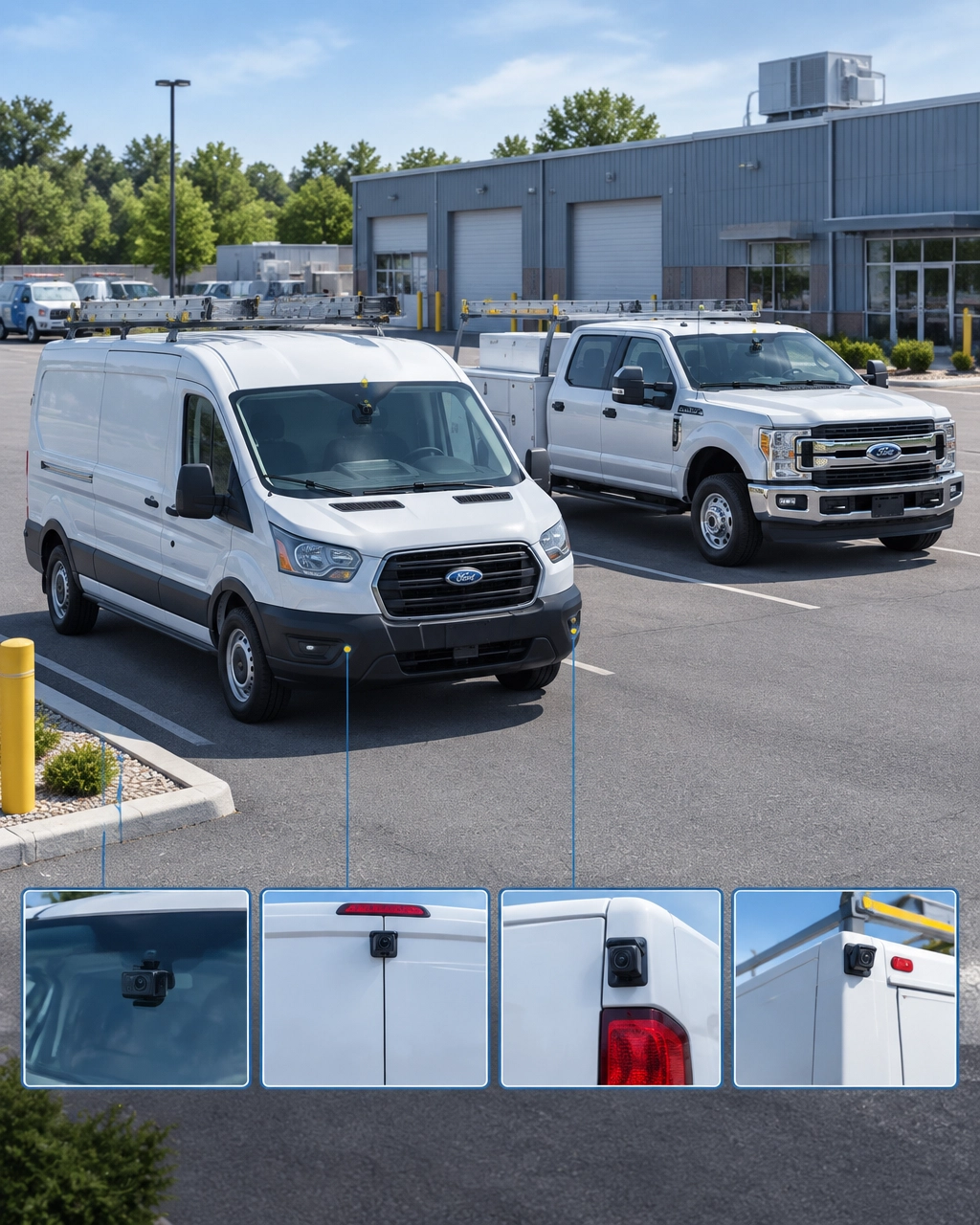
Commercial MDVR Systems: 4-Channel vs. 8-Channel Multi-Camera Configurations for Heavy Fleets
Title tag: 4- vs. 8-Channel MDVR Systems for Heavy Fleets
Meta description: Compare 4-channel and 8-channel commercial MDVR systems, camera layouts, AHD/IP inputs, installation options, and fleet use cases.
Keywords: commercial fleet MDVR systems, heavy duty truck camera system, 4-channel MDVR, 8-channel MDVR, AHD/IP camera inputs, blind spot elimination, mobile digital video recorder
Large vehicles create visibility challenges that a single forward-facing dash cam cannot solve. A tractor-trailer, refuse truck, construction vehicle, or municipal work truck may have several blind zones around the cab, body, trailer, cargo area, and rear frame.
A commercial mobile digital video recorder, or MDVR, connects multiple cameras to one rugged recording platform. The result is a coordinated view of the vehicle and its surroundings. Fleet managers can review incidents, monitor driver behavior, document cargo activity, and improve visibility during turns, backing, loading, and job-site operations.
The right configuration depends on the vehicle and the risks it faces. Local delivery vans and light trucks often need four channels or fewer. Refuse, construction, and municipal fleets usually benefit from eight-channel coverage.
What Is an MDVR System?
An MDVR is a vehicle-mounted recording system designed to collect video from multiple cameras at the same time. It typically includes local storage, GPS connectivity, cellular communication, event recording, and integration with a fleet management platform.
A simple dash cam generally focuses on the road ahead. Some models add a driver-facing camera, but they usually do not provide the inputs, storage capacity, or vehicle wiring needed for a larger multi-camera deployment.
A commercial fleet MDVR system can connect cameras positioned around the vehicle, including:
- Forward-facing road cameras
- Driver-facing or cab cameras
- Left- and right-side cameras
- Rear or trailer cameras
- Cargo-area and door cameras
- Backup and coupling-point cameras
- Blind-spot and side-turn cameras
Each channel represents a camera input. A four-channel MDVR records up to four camera feeds, while an eight-channel MDVR can record up to eight feeds simultaneously, subject to the recorder’s resolution and processing limits.
For operations that need live visibility, an MDVR can also connect video with GPS location, event alerts, and remote playback. Safety Track’s heavy equipment fleet camera solutions are designed to help construction and heavy-equipment operators monitor vehicles, review incidents, and improve accountability.
4-Channel MDVR Systems: When Four Cameras Are Enough
A 4-channel configuration works when a fleet can cover its most important risks with four camera positions. It is often a practical choice for smaller vehicles, straightforward routes, and operations that do not require extensive perimeter coverage.
Typical four-camera layouts
A light-duty truck might use:
- Forward-facing road camera
- Driver-facing camera
- Rear camera
- Cargo or passenger-area camera
Another configuration may prioritize exterior visibility:
- Forward-facing road camera
- Left-side camera
- Right-side camera
- Rear camera
The correct layout depends on the vehicle’s body design and the company’s primary safety concerns. A plumbing van may prioritize road, driver, rear doors, and cargo access. A local delivery truck may prioritize front, rear, and both sides.

Best candidates for four channels
Four channels are usually sufficient for:
- Local delivery vans
- HVAC and plumbing service vehicles
- Lawn-care trucks
- Small box trucks
- Light-duty utility vehicles
- Vehicles with limited cargo length
- Fleets that do not expect to add cameras later
Local delivery vans and light trucks rarely need eight channels. Adding unused capacity increases hardware and installation costs without necessarily improving safety outcomes.
However, fleet managers should avoid choosing four channels only because the unit costs less. If a vehicle may later receive side cameras, cargo monitoring, or a trailer camera, an eight-channel system can provide better long-term flexibility.
For smaller fleets that mainly need video access and simple vehicle coverage, Safety Track’s unlimited video plan is $99.95 per vehicle, per month. It includes unlimited viewing and unlimited downloads.
8-Channel MDVR Systems: Built for Complex Vehicle Coverage
An eight-channel MDVR gives fleet managers room to cover the front, cab, sides, rear, cargo areas, and blind spots without choosing between important views.
Heavy-duty vehicles are longer, taller, and more difficult to see around than service vans. A driver may have limited visibility along the passenger side, behind the rear axle, near a refuse body, or around a trailer connection. An eight-channel heavy duty truck camera system helps close those gaps.
Typical eight-camera layout
A heavy-duty truck may use:
- Forward-facing road camera
- Driver-facing cab camera
- Left-side camera
- Right-side camera
- Rear or trailer camera
- Near-side blind-spot camera
- Cargo, hopper, or body camera
- Backup, coupling-point, or secondary rear camera
This arrangement supports a more complete view around the vehicle. It can help fleets work toward 360-degree coverage by combining front, side, rear, and elevated camera positions.
Eight channels are commonly appropriate for:
- Refuse and recycling trucks
- Construction vehicles
- Dump trucks
- Municipal service vehicles
- Transit and shuttle vehicles
- Tractor-trailers
- Vehicles with trailers or detachable equipment
- Heavy equipment operating in crowded job sites
A refuse truck, for example, may need cameras that show the road, driver, passenger side, rear collection area, hopper, and pedestrian zones. A construction fleet may need visibility around the truck body, loading area, job-site perimeter, and backup path.

AHD and IP Camera Inputs: What Fleet Buyers Should Know
MDVR channel count does not tell the entire story. Buyers should also confirm what type of camera inputs the recorder supports.
AHD camera inputs
AHD, or Analog High Definition, cameras typically transmit video over coaxial cable. They are widely used in commercial vehicle installations because they offer:
- Reliable hardwired connections
- Low-latency video
- Straightforward vehicle wiring
- Cost-effective coverage across multiple positions
- Good suitability for side, rear, and cargo cameras
AHD cameras are often a strong choice for rugged exterior positions. They can provide dependable coverage without requiring a full onboard Ethernet network.
IP camera inputs
IP cameras transmit digital video over Ethernet. They can support higher resolutions, flexible network configurations, and specialized camera functions.
IP inputs may be useful for:
- High-resolution forward-facing cameras
- Advanced driver assistance systems
- AI-enabled road cameras
- Specialized cargo or yard cameras
- Integrations requiring network-based video
Some MDVRs are hybrid systems that support both AHD and IP camera inputs. But channel descriptions vary by manufacturer. An “eight-channel” recorder may provide eight AHD inputs, four AHD and four IP inputs, or a different combination.
Before purchasing, fleet managers should verify:
- The exact number of AHD inputs
- The exact number of IP inputs
- Whether IP ports provide power over Ethernet
- Maximum resolution per channel
- Total recording and decoding capacity
- Storage capacity and backup options
- Cellular connectivity for remote video access
A recorder that supports eight cameras in theory may reduce frame rate or resolution when all channels operate simultaneously. The datasheet should confirm real-world performance.
Hardwired vs. Portable MDVR Installations
Most heavy-duty MDVR deployments should be hardwired. A professional installation connects the recorder to vehicle power, ignition status, storage, cameras, and cellular equipment. Wiring is routed and secured to reduce exposure to vibration, abrasion, heat, and moisture.
Hardwired installations are best for:
- Permanent fleet vehicles
- Heavy trucks
- Refuse and municipal equipment
- Construction vehicles
- Tractor-trailers
- Vehicles that operate on demanding duty cycles
Portable or temporary systems can make sense when a company needs to move cameras between vehicles, test a configuration, or monitor short-term projects. They are easier to relocate but may provide less protection against tampering and vibration.

For harsh environments, buyers should evaluate the recorder’s enclosure, mounting method, connector protection, operating temperature range, and vibration resistance. Fleet managers should ask whether the hardware has been tested for commercial vehicle conditions, including vibration and shock comparable to demanding industrial duty cycles.
The cameras also need appropriate protection. Exterior cameras should be rated for their mounting location and shielded from direct impact, road debris, and improper cable routing.
How to Choose Between Four and Eight Channels
Use this practical selection guide:
Choose four channels when:
- The vehicle is a van or light truck.
- Four camera positions cover the main risks.
- The vehicle has no trailer or extended body.
- Cargo monitoring is simple.
- Blind spots are limited.
- Expansion is unlikely.
Choose eight channels when:
- The vehicle is long, tall, articulated, or difficult to see around.
- The fleet needs both driver-facing and exterior views.
- Side and rear blind spots create safety concerns.
- The vehicle carries a trailer, hopper, body, or specialized equipment.
- Cargo, doors, or loading areas require separate monitoring.
- The company expects to add cameras, ADAS, or AI features later.
The most important step is to create a camera map before selecting hardware. Walk around the vehicle and identify every area the driver cannot see from the seat. Include turning paths, backing zones, loading areas, trailer connections, and pedestrian exposure.
A four-channel recorder is not automatically inadequate, and an eight-channel recorder is not automatically better. The correct choice matches camera coverage to the vehicle’s actual operating risks.
Build a Configuration That Can Grow With the Fleet
Commercial fleet MDVR systems provide more than additional video. They create a foundation for better incident review, driver coaching, asset protection, and operational control.
Small businesses can start with a focused four-camera layout and expand when the fleet’s needs change. Heavy operations can deploy eight-channel systems to support blind-spot elimination, multi-camera recording, and broader visibility around large vehicles.
Safety Track helps companies evaluate camera placement, vehicle type, and monitoring goals before deployment. Fleet managers can also review in-vehicle camera options, camera accessories, and live video fleet camera solutions when building a tailored configuration.
The right system gives drivers better awareness and gives managers faster access to the facts. For a small service van, that may mean four well-placed cameras. For a refuse truck, construction vehicle, or municipal fleet, eight-channel coverage is often the practical path to a safer and more complete view.
Schedule a consultation with Safety Track to match the MDVR configuration to the vehicles, routes, and risks across the fleet.

Tyler Schneider is the IT Director at Safety Track, overseeing the company’s technological infrastructure and innovations. With a strong background in information technology and systems management, Tyler ensures that Safety Track stays at the forefront of tech solutions in fleet management. His strategic expertise supports the seamless integration of technology across the company’s operations.