
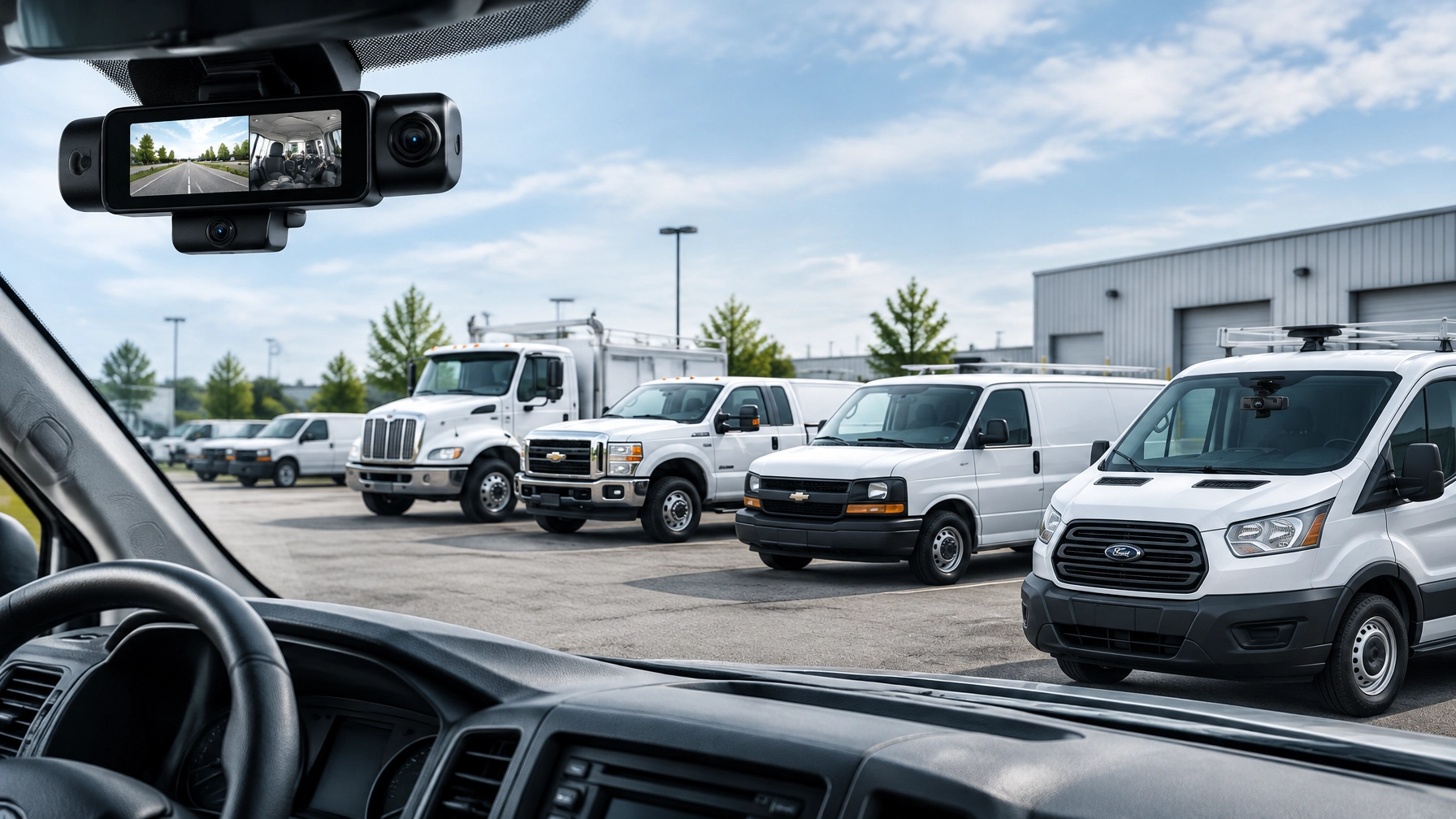
Dual-Facing vs. Road-Facing Dash Cams: Commercial Fleet ROI, Driver Privacy, and Exoneration Guide
Fleet managers often face a practical choice: install road-facing cameras across the fleet or invest in dual-facing systems that also monitor the cab.
Both configurations can support safer operations and stronger claim defense. The right choice depends on the risks a fleet faces, how drivers will respond to in-cab monitoring, and whether the company needs basic incident evidence or a broader driver safety program.
Road-facing cameras are enough for some businesses. Dual-facing AI dash cams for fleets earn their additional value when distraction, drowsiness, in-cab disputes, and driver exoneration are central concerns.
The most effective purchase is not necessarily the camera with the longest feature list. It is the configuration that matches the company’s vehicles, routes, workforce, and risk profile.
Road-Facing vs. Dual-Facing Dash Cams
A road-facing dash camera records the roadway ahead of the vehicle. It can capture traffic signals, lane positions, following distance, road hazards, collisions, and the actions of other motorists.
A dual-facing camera records the road and the cab interior. Depending on the system, the in-cab lens can provide context about driver attention, phone use, seat belt use, fatigue indicators, and the driver’s response immediately before an incident.
Road-facing cameras are often a good fit when:
- The primary goal is collision documentation
- Driver privacy is a major concern
- The fleet is beginning a camera program
- Management wants roadway evidence without in-cab monitoring
- The company has limited resources for coaching and event review
Dual-facing cameras are often a better fit when:
- Distracted driving is a known risk
- Driver fatigue affects longer shifts or overnight routes
- The fleet faces frequent disputed claims
- Managers need stronger driver exoneration evidence
- The company wants real-time in-cab alerts
- Safety leaders plan to coach from specific video events
A road-facing system can show what happened outside the vehicle. A dual-facing system can help explain what happened inside and outside the vehicle at the same time.
That added context matters when a claim alleges that a driver was distracted, fatigued, or otherwise responsible for an event.
Commercial Dash Cam ROI Depends on How the System Is Used
Commercial dash cam ROI does not come from installing hardware alone. The return comes from using footage to prevent incidents, defend drivers, resolve claims, and improve daily performance.
Fleet managers should evaluate ROI across several categories:
- Avoided claim costs
- Faster claim investigation
- Reduced vehicle downtime
- Improved driver behavior
- Protection from false allegations
- Lower administrative effort
- Potential insurer recognition of documented safety practices
The ROI case for road-facing cameras
Road-facing cameras generally have a lower deployment cost and create fewer privacy concerns. They can provide strong evidence when another motorist cuts off a fleet vehicle, runs a light, changes lanes improperly, or causes a collision.
This footage can help an adjuster understand the event without relying only on conflicting statements. It can also protect a driver who was operating appropriately but was blamed by another party.
Road-facing cameras may provide a practical first step for small and mid-size businesses. A company can establish a written video policy, train employees, and measure claim and coaching outcomes before expanding camera coverage.
The ROI case for dual-facing cameras
Dual-facing systems add another layer of evidence. A road view can show the collision, while the in-cab view can show whether the driver was looking ahead, wearing a seat belt, responding to a hazard, or using a device.
This information can support stronger exoneration. It can also identify preventable behaviors before they lead to a crash.
For fleets with recurring distraction or fatigue concerns, dual-facing AI dash cams for fleets can produce more value because the system is not limited to documenting incidents. When supported by AI, it can identify events and provide in-cab coaching while the vehicle is in operation.
Fleet managers should avoid assuming that every deployment will produce the same payback. Results depend on driver training, alert configuration, claims volume, camera usage, and the company’s ability to act on the data.
As fleet operators compare options, resources such as Geotab’s dash camera selection guidance can help clarify the difference between camera coverage, event recording, and broader video telematics.

Driver Privacy Requires a Clear, Consistent Policy
Driver-facing cameras can create understandable questions. Employees may want to know when video is recorded, who can access it, how long it is retained, and whether managers can watch live footage at any time.
A responsible deployment answers those questions before installation.
A strong in-cab privacy policy should explain:
- The safety and operational purposes of the camera
- Whether recording is continuous, event-based, or both
- Which events trigger video review
- Who may access footage
- How footage is shared with insurers or other parties
- How long routine and incident footage is retained
- How employees can raise privacy concerns
- How coaching and disciplinary decisions are handled
The policy should use plain language. Employees should receive notice before the cameras are activated, and managers should apply the policy consistently across the fleet.
Use event-based review whenever appropriate
Many fleets do not need managers watching hours of routine cab footage. Edge AI processing can analyze video on the camera or device and identify events such as distraction, drowsiness, seat belt violations, or unsafe phone use.
Where supported, edge processing can reduce unnecessary uploads and help limit routine video access. The system can send a short event clip or alert rather than requiring managers to review every minute of a driver’s shift.
Fleet managers should ask vendors specific questions about the architecture:
- Does the camera process safety events on the device?
- What video is uploaded automatically?
- Can the fleet configure event types?
- Are alerts sent in real time?
- Can the company limit access by role?
- Is live video optional or always available?
Privacy is not only a legal or compliance concern. It also affects driver acceptance. Employees are more likely to support a camera program when they understand that the system protects them from false claims and focuses reviews on defined safety events.
Exoneration Is a Core Benefit of Fleet Video
Fleet video should not be viewed only as a way to identify driver mistakes. It can also clear a driver who was wrongly accused.
A road-facing camera may show that another vehicle entered the fleet vehicle’s lane. A dual-facing camera may add that the driver was attentive, wearing a seat belt, and responding appropriately.
That complete record can help the company:
- Challenge an inaccurate liability allegation
- Respond to a customer complaint
- Provide facts to an insurance adjuster
- Protect a driver during an investigation
- Confirm that a reported event occurred differently than alleged
- Improve the accuracy of internal safety reviews
Dual-facing systems offer the strongest context when a claim involves alleged distraction, drowsiness, or in-cab conduct. Road-facing systems still provide meaningful protection when the primary dispute concerns roadway position or the actions of another vehicle.
The goal is not to collect footage for its own sake. The goal is to make accurate evidence available when an employee, customer, insurer, or business leader needs it.

Video Can Accelerate First Notice of Loss
First Notice of Loss, or FNOL, is the initial report made to an insurer after a collision or other covered event. The quality and speed of that first report can influence how efficiently the claim moves forward.
Video does not replace the insurer’s investigation. It gives that investigation better information earlier.
A practical FNOL workflow includes:
- Confirm the driver’s safety and address emergency needs.
- Record the vehicle, driver, location, and approximate time.
- Locate the event in the video platform.
- Review the footage before and after the incident.
- Download the relevant road and in-cab views.
- Preserve the original files.
- Submit the footage through the insurer’s approved process.
- Document when and how the evidence was shared.
Immediate access matters during this process. Safety Track customers can access their footage directly instead of waiting for a vendor to retrieve each clip.
The $99.95 per vehicle, per month unlimited video plan includes unlimited viewing and unlimited downloads. Fleet managers can review the surrounding context, save multiple camera views, and share the appropriate files without per-clip or per-download charges.
That control can help small businesses move from incident report to evidence submission faster.
For additional perspective on commercial dash cameras and safety programs, fleet leaders can also review Nationwide’s commercial driver safety overview.
How to Choose the Right Configuration
A fleet does not have to choose the same camera configuration for every vehicle. A custom deployment may use different coverage based on vehicle type, route, and risk.
Choose road-facing first when:
- The fleet primarily needs collision evidence
- Driver acceptance is the immediate priority
- The company has no formal coaching process
- In-cab privacy concerns are significant
- Management wants to establish a basic video policy
Choose dual-facing when:
- Distraction and fatigue are frequent concerns
- Drivers operate long shifts or high-mileage routes
- The company faces substantial liability exposure
- False claims or in-cab allegations occur regularly
- Managers are prepared to review and coach from event footage
Consider a phased deployment when:
- The company needs to build driver trust
- The fleet has different risk profiles by vehicle
- Management wants to measure results before expanding
- The business needs time to create privacy and retention procedures
Safety Track provides fleet dash camera systems and AI fleet monitoring solutions that can be tailored to commercial operations. A service fleet, construction company, delivery business, and heavy-duty operation may require different camera views and alert rules.

The Bottom Line
Road-facing dash cameras provide a practical foundation for collision evidence, liability defense, and driver protection. They are often the right choice for fleets that want lower-friction deployment and strong roadway visibility.
Dual-facing AI dash cams for fleets provide a broader safety and exoneration record. They earn their additional value when distraction, drowsiness, in-cab disputes, and driver coaching are important business risks.
The best commercial dash cam ROI comes from matching the camera configuration to those risks, setting clear privacy expectations, and giving authorized managers immediate access to usable footage.
With Safety Track, the $99.95 per vehicle, per month unlimited video plan includes unlimited viewing and unlimited downloads. Fleet managers retain control of their video without waiting for vendor retrieval, helping them investigate incidents, support first notice of loss, coach drivers, and protect employees with accurate evidence.
Contact Safety Track to discuss a custom-tailored camera and telematics deployment.

Tyler Schneider is the IT Director at Safety Track, overseeing the company’s technological infrastructure and innovations. With a strong background in information technology and systems management, Tyler ensures that Safety Track stays at the forefront of tech solutions in fleet management. His strategic expertise supports the seamless integration of technology across the company’s operations.