
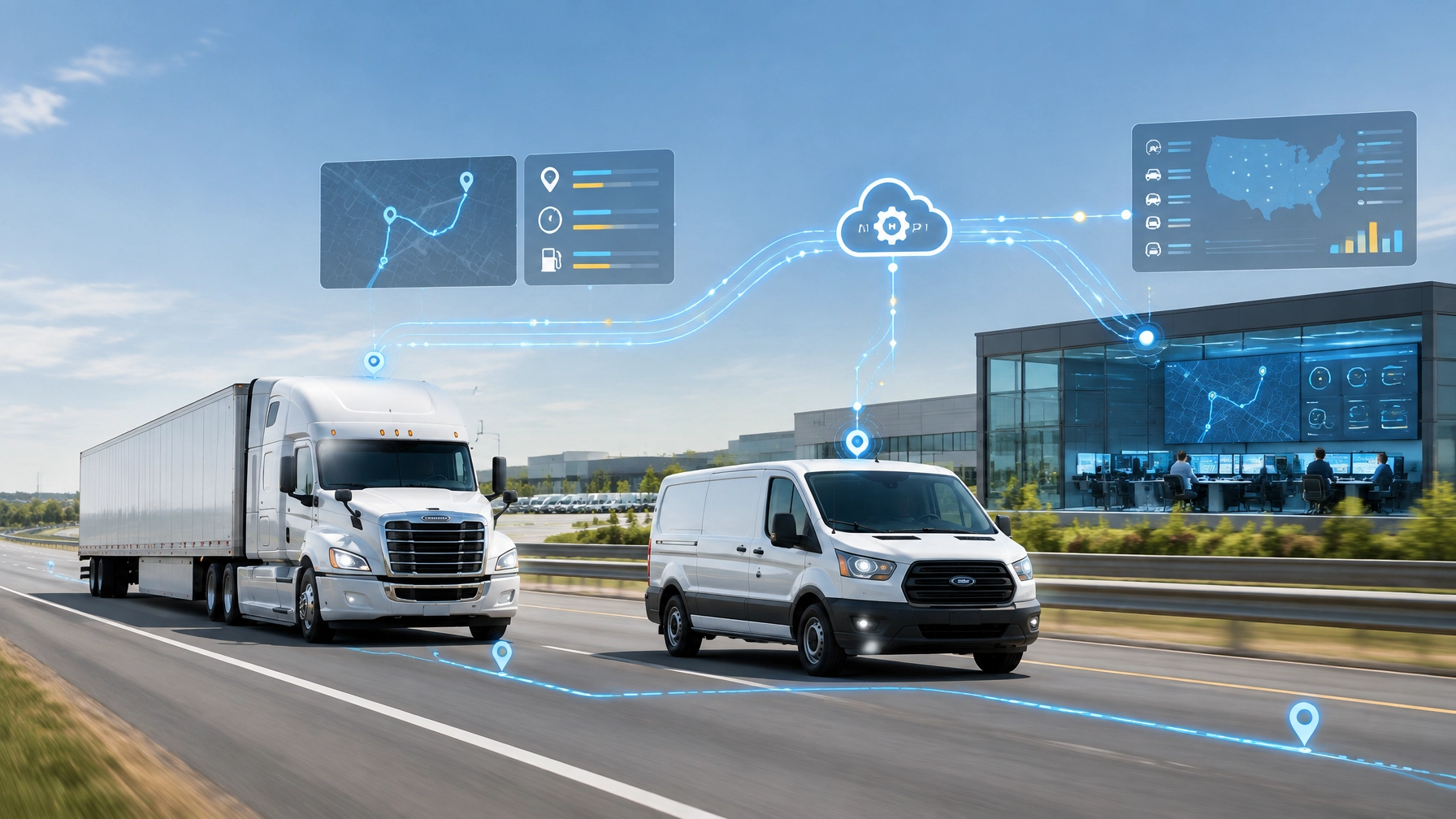
Integrating Fleet Telematics APIs with Custom TMS, ERP, and Dispatch Systems
Fleet operators often manage several software systems at once. Dispatch uses one platform. Accounting and operations use an ERP. Maintenance relies on a separate application. GPS tracking, ELD records, and dash camera footage may live somewhere else.
Each system may work well by itself. The problem begins when employees must move data between them manually.
A fleet telematics API integration connects these systems so location, vehicle, video, driver, and diagnostic data can support one workflow. With the right architecture, a custom TMS, ERP, or dispatch platform can receive the information it needs without forcing managers to switch between disconnected applications.
Safety Track’s Open API integration program supports custom tools for dispatch management, maintenance scheduling, safety, and risk management. The implementation still requires planning, developer time, or an experienced integration partner. The payoff is better data flow, fewer manual processes, and faster operational decisions.
What a Fleet Telematics API Integration Does
An API, or application programming interface, allows one software system to request or receive data from another system. In fleet operations, that data may include:
- Vehicle location and route history
- Speed, odometer, and trip information
- Geofence entries and exits
- Driver behavior events
- Dash camera event metadata
- Video clip identifiers or access links
- ELD or duty-status information
- Engine hours and diagnostic codes
- Maintenance and inspection events
A custom integration maps this information into the systems employees already use. Dispatch may see live vehicle locations inside the dispatch board. A TMS may receive arrival events and updated estimated times. An ERP or maintenance platform may create a service task when mileage or a diagnostic condition reaches a defined threshold.
An open API does not automatically connect every system. It provides the technical access needed to build the connection. The internal software must still support integration, and the data fields must be mapped carefully.

RESTful Endpoints Create the Data Foundation
Most custom fleet integrations use RESTful endpoints over HTTPS. These endpoints allow an application to request or submit structured data, commonly in JSON format.
For example, a dispatch application may request current vehicle locations from a telematics platform. A maintenance system may request odometer readings or diagnostic events. A safety application may retrieve video event metadata associated with harsh braking or a collision.
A practical REST integration should define:
- The required data
Teams should identify which systems need location, video, driver, ELD, or diagnostic information. - The update frequency
Live dispatch may require frequent location updates. Maintenance data may only need to update when a vehicle crosses a mileage threshold or generates a fault. - The identity mapping
Vehicle IDs, device IDs, driver IDs, and asset IDs must match across systems. Poor identity mapping creates duplicate vehicles, missing events, and unreliable reports. - The error process
API requests can fail because of a network outage, expired credential, rate limit, or unavailable device. The integration should log failures, retry appropriate requests, and alert the responsible team. - The data retention policy
Location history, video metadata, and diagnostic events may have different storage and privacy requirements.
Safety Track provides a TMS API documentation resource. Fleet operators and integrators should confirm available endpoints, authentication requirements, field definitions, rate limits, and supported data before development begins.
Webhook Event Triggers Reduce Delays
REST requests are useful for retrieving data. Webhooks are useful for receiving events as they happen.
A webhook sends a notification from one system to another when a defined event occurs. Instead of repeatedly asking whether anything changed, the receiving application listens for an event from the source platform.
Possible fleet webhook triggers may include:
- Geofence entry or exit
- Unauthorized vehicle movement
- Harsh braking or acceleration
- Speeding
- Collision-related events
- Video event creation
- Diagnostic fault detection
- Ignition status changes
- Arrival or departure at a location
For example, a telematics platform could send a webhook when a vehicle enters a customer’s delivery geofence. The integration layer could then update the TMS, notify dispatch, and begin a customer status workflow.
A webhook should not directly trigger a major operational action without validation. The receiving system should verify the event signature or token, check the vehicle and event timestamp, prevent duplicate processing, and record the event for audit purposes.
A strong architecture also separates the webhook endpoint from the internal applications. An integration service can receive the event, normalize it, and distribute it to dispatch, the TMS, the ERP, or a maintenance system.
Authentication and Role-Based Access Matter
Fleet data can reveal driver activity, customer locations, vehicle movements, and incident footage. API access should therefore use strong authentication and carefully defined permissions.
The specific method depends on the provider and implementation. Common approaches include API keys, access tokens, OAuth-based authorization, and signed webhook requests. Credentials should be stored securely rather than placed directly in application code.
Role-based access control should limit what each user or system can do. For example:
- Dispatch may access vehicle locations and route events.
- Safety staff may access driver behavior events and incident footage.
- Maintenance staff may access engine data and diagnostic codes.
- Claims personnel may access authorized video events.
- Administrators may manage users, devices, and integration settings.
Video access requires additional care. An integration should avoid exposing every camera or clip to every user. It should also record who viewed or downloaded incident footage, especially when video is used for claims, coaching, or legal review.
Combining GPS Data with Video Event Metadata
A TMS fleet camera integration becomes more useful when it connects video events with GPS and telematics data.
A video event record may include:
- Vehicle and camera identifier
- Event type
- Timestamp
- GPS coordinates
- Speed at the time of the event
- Driver or assigned operator
- Severity or event category
- Clip identifier or authorized media link
This metadata helps an internal system locate the right incident without searching through hours of footage. A dispatcher can see where an event happened. A safety manager can open the related footage. A claims team can preserve the information needed for an investigation.
The API should not be described as a replacement for the camera platform. In many architectures, the API provides event information and authorized access to media stored by the video provider. Whether it supports live streaming, clip downloads, or only metadata depends on the provider’s documented capabilities and account configuration.
Safety Track also emphasizes direct access to available footage. Its $99.95 per vehicle, per month unlimited video plan includes unlimited viewing and unlimited downloads. Authorized users can review and download footage without waiting for vendor retrieval, subject to the platform’s access controls and retention policies.

Using CAN Bus and J1939 Data for Maintenance
Commercial vehicles can produce valuable diagnostic information through onboard vehicle networks. Heavy-duty vehicles commonly use J1939, a communications standard associated with vehicle control modules and diagnostic data. The available information depends on the vehicle, hardware, installation, and telematics provider.
Potential data may include:
- Engine hours
- Odometer readings
- Fuel-related measurements
- Engine speed
- Coolant temperature
- Diagnostic trouble codes
- Parameter identifiers and failure mode indicators
- PTO or equipment operating status
A fleet telematics API integration can normalize these values and send them to a maintenance or ERP platform. The receiving system can then apply business rules.
For example:
- A vehicle reports an engine-hour threshold.
- The integration checks the vehicle’s maintenance profile.
- The maintenance system creates a preventive service task.
- A diagnostic code is attached to the vehicle record.
- Maintenance staff receive an alert or work-order recommendation.
- Dispatch can see that the vehicle requires attention before assigning another route.
This is the foundation for automated maintenance scheduling. However, an API cannot repair a vehicle or guarantee that every J1939 parameter is available. Fleet managers must confirm hardware compatibility, supported diagnostic fields, vehicle coverage, and the reliability of the source data.

Connecting Dispatch, ELD, Cameras, and ERP Systems
A central integration layer is usually more reliable than creating separate point-to-point connections between every application.
The integration layer can:
- Receive GPS and video events
- Normalize vehicle and driver records
- Connect ELD data with dispatch workflows
- Send diagnostic events to maintenance
- Update ERP records with route or service milestones
- Provide one internal API for multiple business applications
This approach also makes future changes easier. If a fleet replaces its dispatch software, the integration layer can continue communicating with the telematics platform while only the internal connection changes.
ELD integration requires particular care. A GPS or camera API should not be assumed to provide certified hours-of-service records. Fleet operators must verify which system is the official ELD recordkeeper and ensure that any shared data supports applicable compliance workflows.
A Practical Implementation Plan
A successful integration usually follows a phased process:
- Document the current systems
List the telematics, camera, ELD, TMS, ERP, dispatch, and maintenance platforms in use. - Define the highest-value workflows
Start with one or two outcomes, such as live dispatch visibility or diagnostic-triggered maintenance. - Review API documentation
Confirm endpoints, authentication, event types, data fields, media access, rate limits, and limitations. - Create a normalized data model
Establish consistent records for vehicles, drivers, assets, trips, events, diagnostics, and video. - Build a limited pilot
Test a small group of vehicles before deploying across the entire fleet. - Validate data quality
Compare GPS timestamps, vehicle IDs, video events, and diagnostic information against the source platforms. - Secure and monitor the connection
Protect credentials, restrict access, log events, monitor failures, and plan for provider or network outages. - Expand after proving value
Add automated maintenance, safety workflows, customer notifications, fuel analysis, or reporting as the integration matures.
Custom development takes time. Small and mid-size fleets may need an internal developer, software consultant, or integration partner to manage the work. The project should be measured against practical results, including fewer manual entries, faster incident review, better dispatch visibility, reduced downtime, and more consistent data.
Build a Connected Fleet Workflow
Disconnected systems force fleet teams to re-enter information and make decisions with incomplete context. Fleet telematics API integration creates a more direct path from vehicle data to business action.
RESTful endpoints provide structured access. Webhook event triggers deliver timely notifications. Authentication and role-based access protect sensitive information. GPS, video event metadata, ELD records, and CAN bus or J1939 diagnostics can support dispatch, safety, maintenance, and ERP workflows when the underlying systems and hardware support those connections.
Safety Track offers custom API partnerships and integration support for organizations that need to connect telematics and video data with existing tools. The right starting point is a clear conversation about the current software stack, desired workflows, data requirements, and technical resources.
A connected fleet does not require replacing every system. It requires making the systems work together.
Frequently Asked Questions
What is fleet telematics API integration?
Fleet telematics API integration connects GPS, vehicle, driver, video, diagnostic, or ELD data with software such as a TMS, ERP, dispatch platform, or maintenance system.
Can a telematics API connect GPS and dash camera data?
It can connect GPS data with dash camera event metadata when the provider’s documented API supports those data types. Available video access may include event details, clip identifiers, authorized downloads, or live video, depending on the platform and configuration.
What are webhook event triggers?
Webhook event triggers are automated notifications sent when a defined event occurs, such as a geofence entry, harsh-braking alert, diagnostic fault, or video event.
Can CAN bus or J1939 data automate maintenance scheduling?
When compatible hardware and supported diagnostic data are available, CAN bus or J1939 information can trigger mileage-, engine-hour-, or fault-based maintenance workflows. Fleets must confirm the specific vehicle and data coverage before implementation.
Does Safety Track offer API integration?
Yes. Safety Track offers an Open API integration program for custom tools involving dispatch management, maintenance scheduling, safety, risk management, telematics, and video data.

Tyler Schneider is the IT Director at Safety Track, overseeing the company’s technological infrastructure and innovations. With a strong background in information technology and systems management, Tyler ensures that Safety Track stays at the forefront of tech solutions in fleet management. His strategic expertise supports the seamless integration of technology across the company’s operations.