
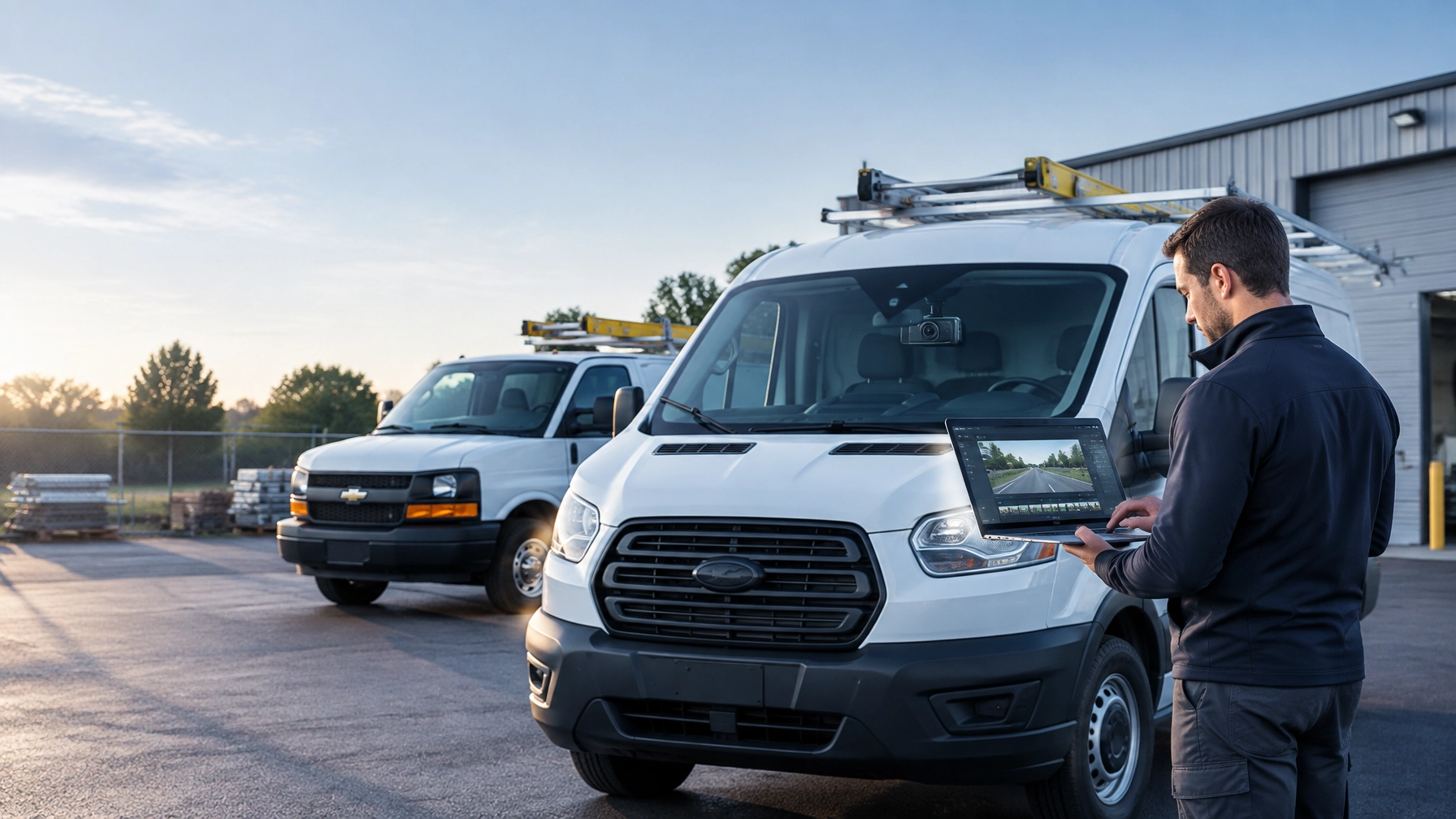
Who Owns Your Dash Cam Footage? (And Why the Answer Costs You Money)
A dash camera records an event involving a vehicle your company owns or operates. The footage may show a collision, a customer dispute, driver behavior, or a false claim.
The important question is simple: Who controls that video?
Some fleet managers assume the answer is obvious. The camera is installed in a company vehicle, so the company should control the footage. In practice, access rights often depend on the vendor agreement, storage model, and platform design.
When a vendor treats fleet video as its own asset, the business can lose time and money. Retrieval may require a support request. Downloads may be restricted. Per-clip charges may increase investigation costs. A claim may move forward before the fleet can provide evidence.
A modern fleet camera system should give authorized fleet managers direct control. They should be able to access video, review it, and download it without asking someone else to retrieve footage.
Dash Cam Footage Ownership Is a Contract Question
Buying a dash camera does not automatically answer the ownership question. Fleet managers should review the vendor’s terms before signing an agreement.
The contract should clearly explain:
- Who owns recorded video and related data
- Who can access, download, and share footage
- How long video remains available
- Whether the vendor can reuse or retain footage
- What happens to video after the contract ends
- Whether the fleet can export its data in a usable format
- Whether extra viewing or download fees apply
A vendor may provide the hardware, cellular connection, cloud storage, and software. That does not mean the vendor should control every recording captured by the customer’s vehicles.
Fleet operators need practical control over the evidence created during daily operations. The company should be able to review footage for claims, safety coaching, customer service, and internal investigations.
This is not only a legal or technical issue. It is an operational issue. If the fleet cannot access its own video quickly, the camera system creates a new bottleneck.
The Hidden Cost of Vendor-Controlled Video
Vendor-controlled retrieval can appear manageable during a product demonstration. The cost becomes clear when an incident occurs and the footage is needed immediately.
A manager may need to:
- Identify the vehicle and approximate time of the event.
- Contact the vendor or submit a support ticket.
- Wait for the vendor to locate the recording.
- Confirm that the correct footage was retrieved.
- Request a usable file format.
- Wait again for the download or email transfer.
Each step adds friction. The longer the process takes, the greater the risk that a business makes decisions without complete information.
Retrieval delays
A delayed video can slow an insurance claim or internal investigation. The driver may not remember every detail. Witnesses may become harder to reach. A customer may continue disputing the event. Important footage may also be affected by storage limits or overwriting rules.
A connected platform with remote playback reduces these obstacles. Fleet managers can search for footage by vehicle, date, and timestamp instead of waiting for a vendor to perform the search.
Per-clip charges
Some camera programs limit the number of clips a customer can view or download. Others place additional access, export, or storage behind a higher subscription tier.
These costs can discourage regular video review. Managers may avoid downloading footage unless an incident appears serious. That limits the system’s value for driver coaching and proactive safety.
A fleet should not have to choose between protecting its business and staying within a clip allowance.
Lost claims leverage
Video evidence is most valuable when it is available early. A fast review can help a fleet respond to an allegation, provide context to an insurer, or support a driver who was not at fault.
Waiting weakens that position. The business may accept a claim before reviewing the facts. It may spend more time gathering statements. It may also lose the opportunity to demonstrate that the driver acted appropriately.

“Do Not Ask for Your Video” Should Be the Standard
Fleet managers should not have to ask a vendor for footage captured by cameras installed in their vehicles.
The better model is self-serve access. Authorized users log into the platform, select a vehicle and time period, review the recording, and download the file when needed.
Safety Track’s video telematics solutions are designed to give fleet managers direct access to live and historical video. The Camera Management Suite supports remote playback and user-controlled downloads, so managers can review footage without physically removing an SD card or waiting for a third-party retrieval process.
This direct-access model helps managers:
- Review an incident while details are still current
- Compare video with GPS location and driving data
- Download evidence for an insurer or legal advisor
- Investigate customer and property damage disputes
- Coach drivers using specific examples
- Revisit footage when new questions arise
The result is greater control over the company’s evidence and faster decision-making across the fleet.
Self-Serve Access Improves Driver Coaching
Dash cam footage should not be used only after a collision. It should also support regular driver coaching.
When managers can access video immediately, they can address risky behavior before it becomes a serious incident. Examples include:
- Distracted driving
- Harsh braking
- Following too closely
- Unsafe lane changes
- Speeding
- Incomplete stops
- Poor backing practices
Specific footage creates a more useful coaching conversation. A manager can review what happened, ask the driver for context, and establish a clear improvement plan.
The same access also helps recognize good decisions. A video may show a driver responding correctly to another motorist’s mistake or preventing a collision through defensive driving.
This balance matters. Drivers are more likely to trust a system that protects them from false claims and documents safe performance. Direct video access gives managers the evidence needed to support accountability without relying on assumptions.

Unlimited Viewing and Downloads for $99.95 Per Vehicle, Per Month
Small and mid-sized businesses need predictable fleet technology costs. They also need enough access to use their camera system consistently.
Safety Track’s $99.95-per-vehicle, per-month unlimited video plan includes:
- Unlimited video viewing
- Unlimited video downloads
- Self-serve access to fleet footage
- Greater flexibility for claims investigations
- More opportunities for driver coaching
Unlimited access changes how managers use video. They can review several events without worrying about reaching a monthly limit. They can download the footage required for an investigation without calculating the cost of each export.
The plan also supports a proactive safety program. Managers can review patterns across vehicles and drivers. They can identify recurring behaviors, track improvement, and use real events during training.
A fleet camera system should be used throughout the year, not reserved for the largest claims. Unlimited viewing and downloads make that practical.
Questions to Ask Before Choosing a Fleet Camera Vendor
Fleet managers evaluating a commercial dash cam system should ask direct questions before signing.
Who controls the footage?
Ask whether the customer retains control over video captured by its vehicles. Request the answer in writing.
Can managers access video without contacting support?
A true self-serve platform should allow authorized users to search, view, and download footage directly.
Are there per-clip or per-download charges?
Confirm whether the monthly subscription includes unlimited viewing and downloads. Ask about storage, retention, and export fees.
How quickly does footage become available?
Ask whether the system supports remote playback and how connected video is uploaded after an event.
Can the fleet export its data?
A business should understand how video and related information can be retained if the company changes providers.
Can access be assigned by role?
Fleet managers may need to provide controlled access to safety teams, operations personnel, human resources, or insurers. Role-based permissions help protect sensitive information while keeping work moving.
A vendor that answers these questions clearly demonstrates a stronger commitment to customer control.
Choose a Fleet Camera System That Puts Managers in Control
Your fleet recorded the video. Your team should be able to access it.
Vendor-controlled retrieval creates delays, unnecessary fees, and lost claims leverage. It also limits the value of video for driver coaching and everyday fleet management.
Safety Track provides fleet camera systems with live viewing, remote playback, and direct access to recorded footage. The $99.95 per vehicle, per month unlimited video plan includes unlimited viewing and unlimited downloads, giving small and mid-sized fleets the flexibility to use video when it matters.
The right system does more than record. It gives fleet managers control over the evidence, insight into driver behavior, and a faster way to protect the business.
Contact Safety Track for a fleet assessment and learn how self-serve video access can support safer drivers, faster claims handling, and stronger operational control.

Related keywords: instant fleet video access, fleet dash cam footage, video telematics, AI dash cameras, fleet safety cameras, commercial vehicle cameras, remote video playback, unlimited video downloads, driver coaching, fleet claims evidence

Tyler Schneider is the IT Director at Safety Track, overseeing the company’s technological infrastructure and innovations. With a strong background in information technology and systems management, Tyler ensures that Safety Track stays at the forefront of tech solutions in fleet management. His strategic expertise supports the seamless integration of technology across the company’s operations.