
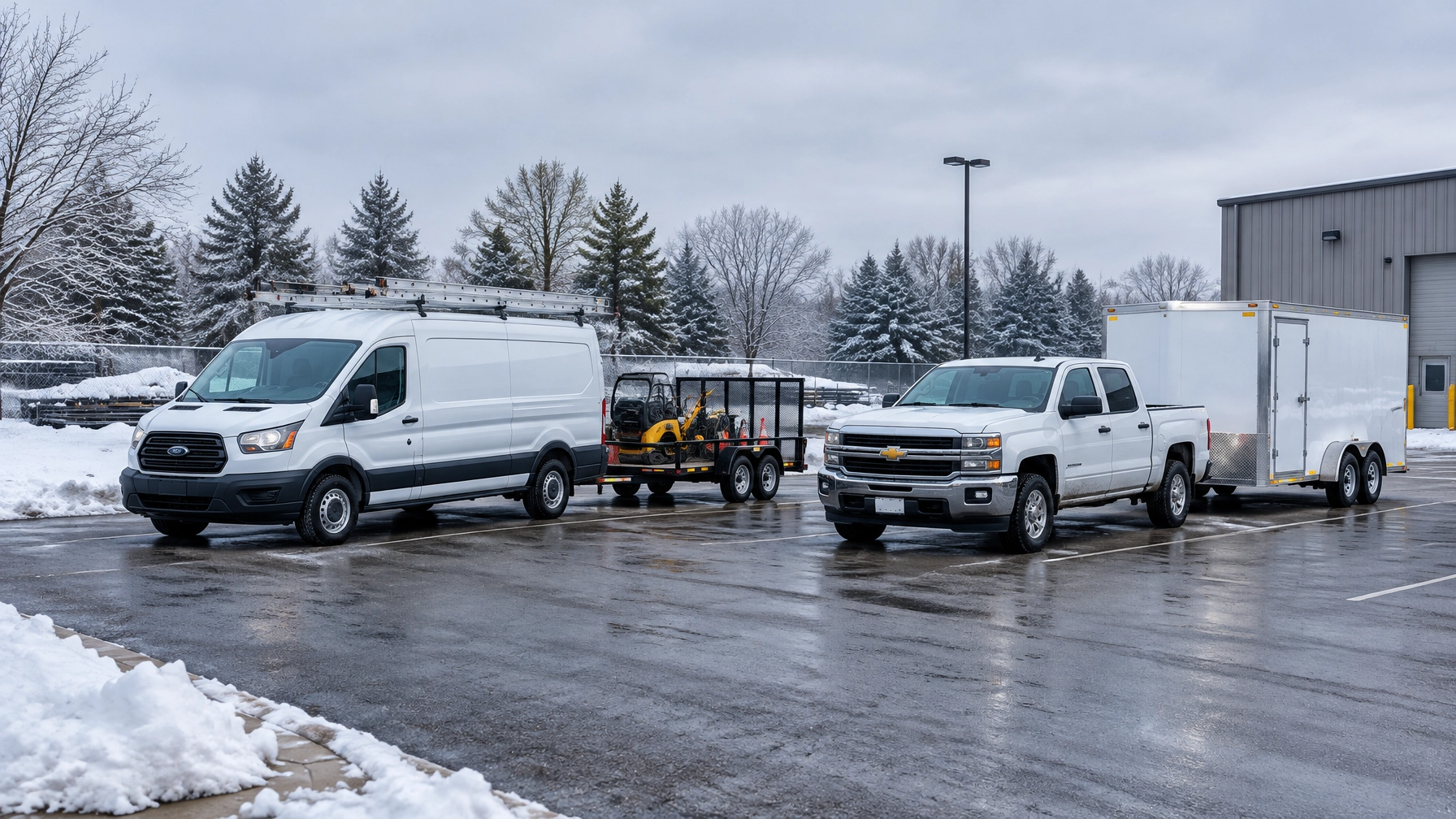
Year-End Inventory: Tagging Trailers and Equipment Before January
December can offer small businesses a useful window to account for trailers and equipment before the next busy season begins. A few hours spent checking what the company owns, where it is, and how it is identified can prevent confusion when assets start moving between jobsites again.
A complete inventory is more than a theft-prevention measure. It helps owners find trailers, avoid duplicate rentals, confirm equipment availability, and answer customers or insurers with accurate information. Use this afternoon checklist to bring the records in line with what is physically in the yard.
Before the count: Set up a simple inventory list
Choose one person to lead the count and gather the records the business already uses. These may include purchase receipts, maintenance records, insurance schedules, dispatch notes, and any GPS or asset-tracking platform.
Create one working list, or update an existing one. For each trailer or piece of equipment, record:
- Asset ID: A unique number or label the business can use consistently.
- Description: Asset type, make, model, color, and distinguishing features.
- Serial number or VIN: Record it directly from the asset when available.
- Current location: Yard, jobsite, storage area, or assigned employee.
- Status: In service, in repair, off-season, sold, retired, or rented out.
- Tracking details: Tracker ID and platform name, if applicable.
- Condition and notes: Damage, missing tags, or other issues to follow up.
Keep the list practical. A small contractor does not need a complicated database to get started. A clear spreadsheet or asset register is useful when each record has a consistent ID and current status.
The year-end trailer and equipment inventory checklist
1. Walk the yard and list every mobile asset
Walk the property systematically, including parking areas, storage rows, sheds, and less visible corners. Check each trailer and piece of equipment against the working list. Record anything found that is missing from the records rather than assuming it belongs to another vehicle.
Include assets that may be away from the yard, too. Check with foremen, employees, and subcontractors about equipment at active jobsites, in repair shops, or stored at another location. Note where each item is and who is responsible for it.

2. Identify what is most important to track
Not every asset needs a GPS tracker. Start with the items that move most often and would cost the most to replace, rent again, or go without. Trailers that travel between jobsites, high-value equipment, and assets that are difficult to locate are good candidates for closer consideration.
Consider both replacement cost and operational impact. A lower-cost trailer can still cause a costly delay if it carries the tools a crew needs for a scheduled job.
Safety Track offers asset-tracking options for mobile assets, including solar-powered tracking devices. The appropriate setup depends on the asset’s power source and how it is used.
3. Tag trailers and equipment separately from powered vehicles
A trailer should have its own record and asset ID, even when it is usually attached to a truck or van. The tow vehicle and trailer can separate, change assignments, or go to different locations. Treating them as one record makes it harder to confirm where each asset went.
Apply a durable, readable tag or label where it can be checked without creating a safety or maintenance issue. Record the trailer’s VIN or serial number and license plate information where applicable. Photograph the label and the asset so employees can identify it later.
Use the same ID across the physical tag, inventory list, and tracking platform. If a GPS tracker is installed, confirm that its platform record points to the correct trailer or equipment, not just to the vehicle that may tow it.

4. Test the tracker, alerts, and geofence
A device shown in a system is not enough. Check that each tracked asset is correctly named and that its latest location makes sense. If the asset has moved recently, compare the displayed location with a known trip or current physical location.
Review the geofence around the yard. It should follow the actual property boundary closely enough to reflect how the fleet uses the site. Check for gates, shared driveways, nearby roads, and storage areas that could trigger unnecessary alerts or leave part of the yard outside the boundary.
Confirm that alert settings match the business’s real schedule and that the right person receives notifications. The Safety Track Tracking Management Suite includes geofencing and location-management features. Managers can also review this guide to commercial fleet theft prevention and geofencing.

5. Reconcile the system against the physical count
Compare the list with what is physically present and what the tracking platform shows. Mark each item as matched, missing, newly found, or requiring follow-up.
Investigate mismatches before closing the inventory. Ask the last assigned employee, check dispatch or job records, and review maintenance or transfer notes. If a tracker reports an unexpected location, verify whether the asset was moved for a legitimate job before treating it as an incident.
This step can uncover practical issues beyond theft. A trailer recorded at one site but stored at another can be mistakenly rented again. A crew may be delayed because dispatch thinks a piece of equipment is available when it is in repair. Accurate records help managers answer questions with facts instead of relying on memory.
6. Record sold, retired, and off-season assets
Update each item’s status. Mark assets that have been sold, retired, returned, or moved into off-season storage. Remove or update outdated platform records so old assets do not remain mixed in with active equipment.
For equipment that is stored, record its location and who is responsible for it. If a tracker remains active, confirm that its reporting and alert settings make sense for storage. If the business plans to remove or reassign a tracker, update the asset record at the same time.
Close the loop before January
At the end of the afternoon, save the updated list and create a short exception report. Include anything missing, untagged, incorrectly located, not appearing in the tracking system, or awaiting a sale or retirement update. Assign one person and a due date to each follow-up item.
A useful year-end inventory does not need to be perfect on the first pass. It needs to show what the business has, where mobile assets should be, and which records still need attention. That gives owners and fleet managers a clearer starting point when schedules fill up again in January.
For small businesses operating vans, light trucks, trailers, and contractor equipment, a consistent asset ID and a verified location record can save time throughout the year. Review Safety Track’s fleet tracking solutions to learn how GPS and asset tracking can support day-to-day visibility.

Tyler Schneider is the IT Director at Safety Track, overseeing the company’s technological infrastructure and innovations. With a strong background in information technology and systems management, Tyler ensures that Safety Track stays at the forefront of tech solutions in fleet management. His strategic expertise supports the seamless integration of technology across the company’s operations.